Schedule
The week (or month) ahead, laid out the same way as Today — plus the tools for finding a specific day and switching how bookings are shown.
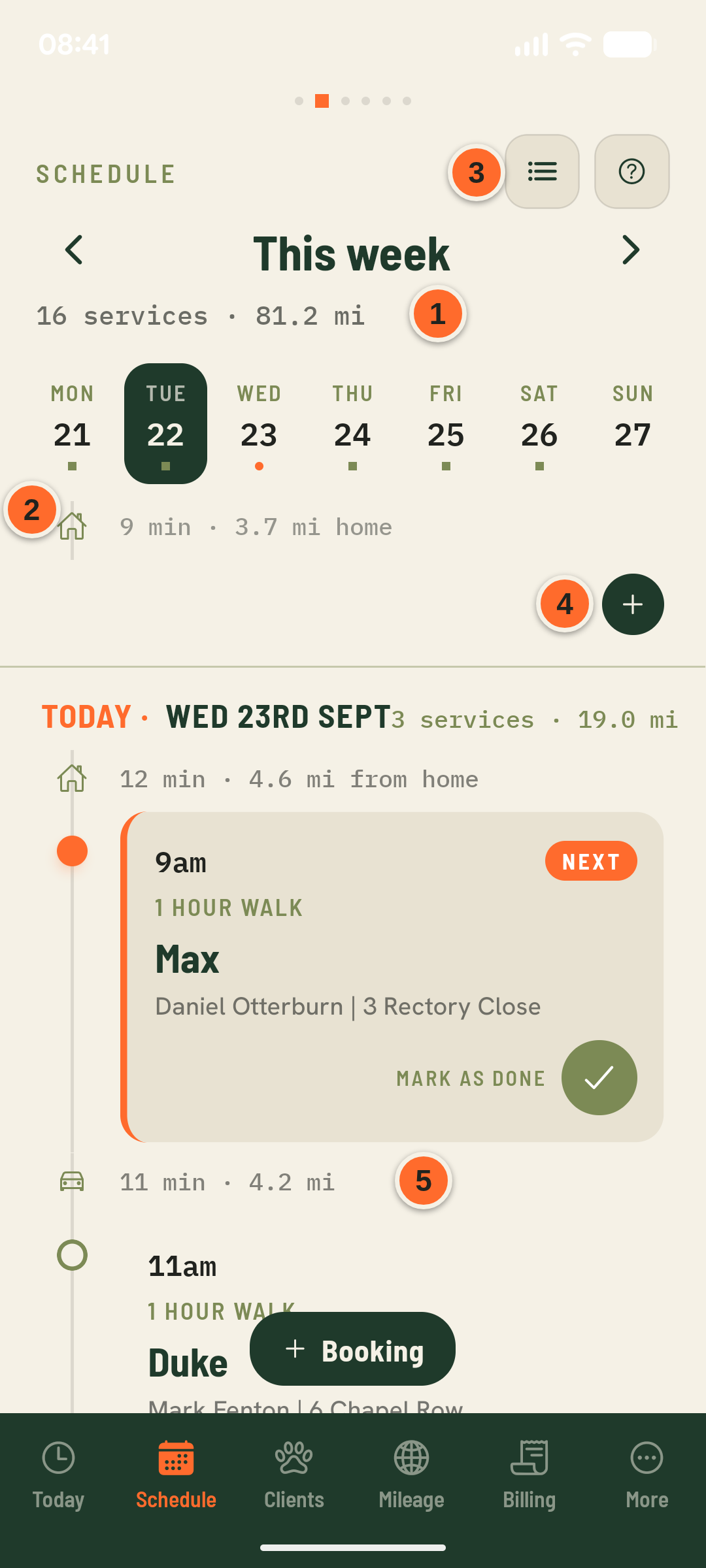
- 1This week · 16 services · 81.2 mi
Total bookings and estimated driving distance for the whole week — use ‹ › to move between weeks.
- 2Day dots
A dot under a day means it has bookings. Tap any day to jump the timeline below straight to it.
- 3List icon
Switches this view between the route timeline (with drive time between stops) and a flat list.
- 4+ on each day
Adds a booking straight onto that day, with the date already filled in.
- 511 min · 4.2 mi
Same door-to-door drive-time estimate as Today, calculated for every leg of the week — not just today.